
Are you still paying for a bulky cable package when a world of entertainment is available over your internet connection? The way we watch television has completely changed. A new generation of digital platforms delivers your favorite shows directly, without long-term contracts or hidden fees.
These modern services bring the channel-surfing experience you love into the present day. You get real-time access to sports, news, and primetime events. It’s all available for a simple monthly fee. Major providers like Hulu and YouTube TV offer robust lineups, with prices currently around $90 and $83 per month, respectively.
The market is dynamic, with players like DirecTV Stream, Fubo, and Philo also competing for your attention. Recent news of a potential merger between Fubo and Hulu highlights the industry’s rapid evolution. This guide will help you navigate these options and find the perfect fit for your viewing habits and budget.
Key Takeaways
- Modern television services use your internet to deliver content, eliminating the need for traditional cable boxes.
- You can watch broadcasts as they happen, just like with conventional TV, but with more flexibility.
- Pricing is typically a flat monthly rate, with no surprise charges or annual contracts.
- The industry is competitive, with several major providers offering different channel packages and features.
- Staying informed about market changes, like company mergers, can help you make a smart choice.
- This article will provide a detailed comparison to help you select the best service for your needs.
Why Cut the Cord? Understanding the Move Away from Cable
Families across the country are finding better value in contemporary entertainment choices compared to older subscription models. The movement away from traditional television packages is driven by two powerful factors: significant financial benefits and unprecedented viewing flexibility.

Cost Savings and Budget Considerations
Traditional television subscriptions often come with hefty monthly bills that can exceed $100-150. Modern entertainment options eliminate many of these hidden costs. You won’t find equipment rental fees or surprise charges on your statement.
The pricing structure is straightforward and transparent. Most services operate on a simple monthly subscription model without long-term contracts. This means you can adjust your spending based on your current needs and budget.
Flexibility and Customization Benefits
One of the greatest advantages is the ability to watch your favorite programming on multiple devices. From smartphones to smart TVs, you have freedom to enjoy content anywhere with an internet connection.
Customization lets you choose exactly what you want to watch. Instead of paying for hundreds of channels you never use, you can select packages that match your specific interests. This personalized approach ensures you only pay for content you actually enjoy.
Modern platforms also offer superior control over your viewing experience. Features like pausing broadcasts, recording shows, and accessing on-demand content give you complete command over your entertainment schedule.
Exploring live tv streaming alternatives to cable
The market for internet-based television has matured with six major contenders. These platforms deliver traditional channel lineups through your broadband connection. You’ll find YouTube TV, Hulu + Live TV, Sling TV, Fubo, DirecTV Stream, and Philo leading the pack.
| Service | Starting Price | Key Feature |
|---|---|---|
| YouTube TV | $73/month | Unlimited cloud DVR |
| Hulu + Live TV | $77/month | Disney+ and ESPN+ included |
| Sling TV | $40/month | Most affordable option |
| Fubo | $80/month | Sports-focused lineup |
| DirecTV Stream | $85/month | Regional sports networks |
| Philo | $25/month | Budget entertainment choice |
The beauty of modern entertainment platforms is their flexibility. You’re no longer locked into packages filled with channels you never watch.
Pricing spans from budget-friendly to premium tiers. Sling starts around $40 monthly, while comprehensive packages approach $95. Most include local broadcasts alongside popular networks.
These digital platforms allow significant customization. You can add premium networks like HBO Max or genre-specific channel packs. This creates a personalized viewing experience that traditional providers can’t match.
The spectrum ranges from basic entertainment to feature-rich solutions. Each service offers distinct advantages for different viewing preferences and budgets.
How Live TV Streaming Services Work
The magic of watching broadcasts in real-time over the internet relies on sophisticated digital technology that’s surprisingly simple to use. These platforms convert traditional television signals into digital data that travels through your home network.
Streaming Technology Explained
Your internet connection plays a crucial role in delivering smooth content. Most services recommend speeds of at least 10-25 Mbps for high-definition viewing. This ensures minimal buffering and consistent quality.
The technology manages multiple channels simultaneously while distinguishing between live and on-demand content. This sophisticated system rivals traditional delivery methods in reliability.
Supported Devices and Platforms
You can enjoy these entertainment options on virtually any screen. Popular streaming devices include Roku, Amazon Fire TV, Apple TV, and Chromecast. Most smart TVs also have built-in app support.
This flexibility means family members can watch different shows on their preferred platforms simultaneously. The widespread compatibility makes it easy to access your favorite content anywhere.
Modern technology has matured to offer convenience that matches or exceeds older systems. The ability to stream across multiple devices represents a significant advantage for today’s viewers.
Channel Lineups and Package Comparisons
The heart of any entertainment service lies in its channel offerings and how they match your viewing preferences. Quality matters more than quantity when selecting your ideal package. You want the specific networks you enjoy most.
YouTube TV provides over 100 channels, including local PBS stations. Hulu’s lineup also exceeds 100 channels, recently adding PBS and Magnolia Network. Sling TV Blue offers many basic channels for around $46 monthly. DirecTV Stream stands out with extensive regional sports coverage and nearly 250 local PBS affiliates.
Local channel availability varies by service and location. Essential networks like ABC, CBS, NBC, and Fox may not be available everywhere. Always verify your local access before committing.
Create a checklist of your must-have channels before comparing packages. Focus on the live channels you regularly watch for sports, news, and entertainment. This approach ensures you select the perfect match for your household.
Analyzing Pricing and Subscription Options
Price comparison between different service tiers reveals significant value differences that impact your monthly expenses. Recent adjustments have affected most providers, making budget awareness crucial.
Monthly Fees and Hidden Costs
Hulu’s platform now costs $90 per month, while YouTube TV sits at $83. These base prices don’t always include additional taxes and fees.
Some services add surcharges to their advertised rates. Always check the final monthly total before committing to any subscription.
| Service | Starting Price/Month | Premium Tier |
|---|---|---|
| Sling TV | $19.99 (Select) | $60.99 (Orange+Blue) |
| Philo | $28.00 | $28.00 |
| Fubo | $85.00 | $105.00 |
| DirecTV Stream | $85.00 | $179.98 (Premier) |
Budget-Friendly vs Premium Packages
Sling offers exceptional value starting at just $46 monthly for their Blue package. Philo remains the most affordable option at $28 per month.
Premium plans like DirecTV’s Premier can exceed $179 monthly. These higher-priced subscriptions include extensive channel lineups and exclusive content.
The best value often comes from matching your actual viewing habits to the appropriate price point.
Consider your must-have channels when selecting a plan. Budget options work well for casual viewers, while premium packages suit dedicated enthusiasts.
Features and Functionalities of Streaming Services
Beyond channel counts and monthly costs, the real user experience is shaped by interface design and recording features. These elements determine how easily you find and enjoy your favorite programming.
User-Friendly Interfaces
A clean, intuitive layout makes all the difference in daily use. YouTube TV stands out with its no-nonsense design and handy search bar. Finding specific shows becomes quick and effortless.
Other platforms can present challenges. Hulu integrates live channels into its existing app, which some users find less straightforward. The right interface should feel natural from your first interaction.
Cloud DVR and On-Demand Options
Recording capabilities vary significantly between providers. YouTube TV and DirecTV both offer unlimited dvr storage with nine-month retention. This generous policy lets you build a personal library of content.
Sling TV provides 50 hours of free dvr storage, with unlimited available for $5 monthly. Most competitors typically keep recordings for 30 days. These features ensure you never miss important shows or events.
On-demand libraries complement live channels beautifully. You can pause broadcasts, restart programs, and access missed episodes. These user-focused functionalities enhance your viewing flexibility.
Impact of Regional Sports Networks and Local Channel Availability
For dedicated sports enthusiasts, choosing the right entertainment platform often comes down to one crucial element: the ability to watch their hometown teams. This access is primarily governed by regional sports networks (RSNs). These specific networks hold the broadcasting rights for local NBA, NHL, and MLB games.
Unfortunately, many popular services offer limited access to these essential sports networks. Hulu + Live TV provides no regional sports coverage. Sling TV also lacks these networks. YouTube TV carries only NBC Sports regional sports channels in select markets.
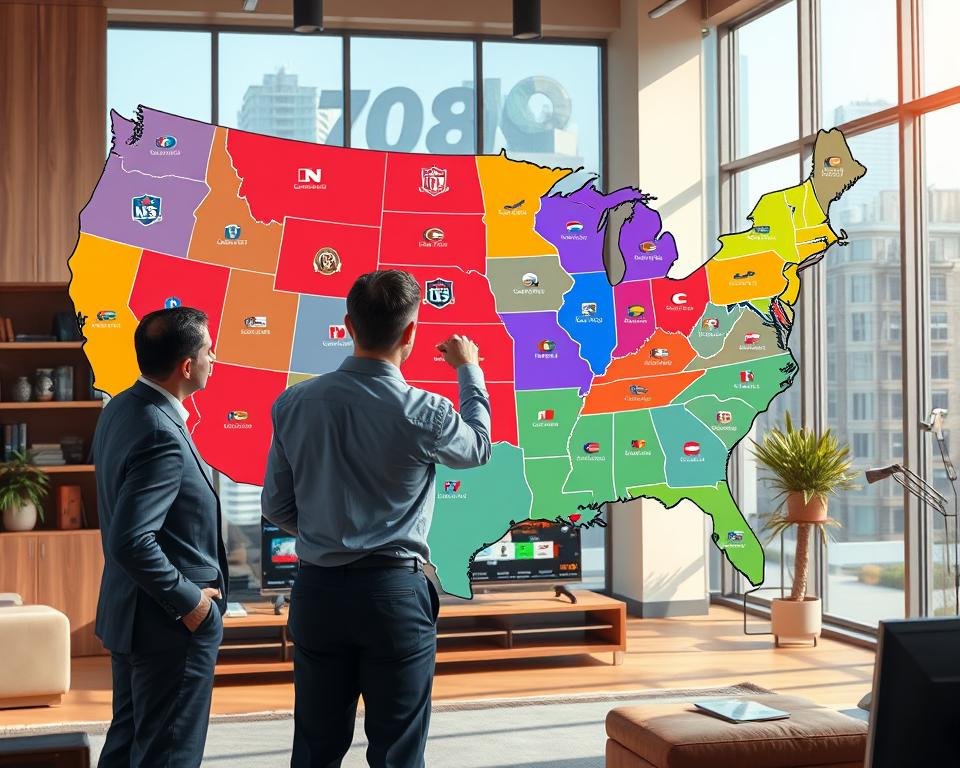
If following your local teams is a priority, your best options are clear. DirecTV Stream offers the most comprehensive lineup of regional sports networks, especially in its Choice package. Fubo is specifically designed for sports fans and provides excellent regional sports availability.
Geographic restrictions significantly impact which local channels and networks you can receive. Always check availability in your specific area before subscribing. For a focused solution, Fubo even offers a plan for just RSN channel access at $29.99 monthly in some areas.
| Service | Regional Sports Networks | Best For |
|---|---|---|
| DirecTV Stream | Most comprehensive access | Fans wanting maximum coverage |
| Fubo | Strong in select markets | Dedicated sports enthusiasts |
| YouTube TV | Limited (NBC RSNs only) | General viewers with some sports interest |
| Hulu + Live TV | None | Viewers who prioritize other content |
| Sling TV | None | Budget-conscious non-sports fans |
Your passion for local sports should directly guide your choice. Selecting a service with robust regional sports networks ensures you never miss a pivotal game.
Exclusive Content: Sports, Movies, and Local News
The battle for viewers’ attention has shifted to securing unique rights to popular sports, movies, and news content. Exclusive programming often becomes the deciding factor for households choosing their entertainment provider.
For sports enthusiasts, YouTube TV offers a massive advantage with NFL Sunday Ticket through 2029-2030. This gives football fans access to out-of-market games that aren’t available elsewhere. Sports coverage varies significantly across different platforms.

Entertainment content also features exclusive offerings. Hulu’s platform includes original shows like Shogun and Only Murders in the Building that you won’t find on competing services. These unique shows add tremendous value for dedicated viewers.
Local news coverage is another critical consideration. Most providers offer access to major news channels like CNN, Fox News, and MSNBC. YouTube TV was first to include local PBS stations, with Hulu and DirecTV following later.
| Service | Sports Exclusive | Entertainment Exclusive | News Coverage |
|---|---|---|---|
| YouTube TV | NFL Sunday Ticket | Standard lineup | Local PBS + major networks |
| Hulu + Live TV | ESPN/Disney content | Original shows library | Major news channels |
| DirecTV Stream | Regional sports | Premium movie channels | Comprehensive local access |
Your household’s viewing preferences should guide your choice. Consider which exclusive sports games, movies, and news coverage matter most for your entertainment needs.
Bundled Streaming Services for Added Value
Many providers now enhance their offerings by bundling multiple entertainment subscriptions together for greater value. These packages combine live channel access with extensive on-demand libraries, creating compelling deals for subscribers.
Hulu + Live TV and Disney Bundle Integration
The hulu live platform stands out with its integrated Disney Bundle. For $90 monthly, subscribers receive unlimited DVR plus Hulu Basic, Disney Plus, and ESPN Plus.
This represents significant added value since the Disney Bundle alone typically costs $19.99 separately. The service also offers an ad-free version for $100 monthly.
Comparison with Competing Bundles
Other providers offer different bundled approaches. DirecTV’s Premier plan includes HBO Max, Paramount Plus with Showtime, and Starz for $179.98 monthly.
These streaming services provide access to vast content libraries including movies and original series. When evaluating these subscription packages, consider whether the bundled content matches your viewing habits.
According to expert comparisons, bundled packages can offer genuine savings for households that would subscribe to multiple services individually.
User Reviews and Expert Testimonials
Professional reviewers and everyday subscribers offer the most reliable guidance for selecting your ideal viewing solution. Publications like Tom’s Guide employ specialists who test each platform extensively.
Malcolm, a Tom’s Guide reviewer since 2023, personally evaluates every major option. He tests them for hours across television, phone, and laptop devices. This comprehensive approach uncovers both benefits and quirks that casual users might miss.

Consumer Reports adds another layer of trusted insight. Veteran journalist James K. Willcox leads their coverage of media platforms and devices. His extensive experience provides valuable context for comparing different services.
| Testing Aspect | Evaluation Method | Key Findings |
|---|---|---|
| Interface Design | Daily usage simulation | YouTube TV praised for simplicity |
| Streaming Reliability | Multiple device testing | Consistent performance across platforms |
| Customer Support | Real issue resolution | Varied response times between providers |
User feedback highlights common satisfaction points. Subscribers frequently praise intuitive interfaces and dependable performance. Many appreciate the flexibility these digital options provide.
Balanced reviews also address occasional frustrations. Some users report navigation challenges with certain platforms. The most helpful testimonials come from people who actually use these services daily.
This thorough vetting process ensures you receive recommendations from sources that understand what matters to modern viewers. The testing methodology provides real-world insights beyond basic feature lists.
Real-World Performance and User Experience
The true test of any viewing platform comes from real-world usage, not just the specifications on paper. Professional reviewers test these services across television, phone, and laptop devices to uncover how they actually perform.
Interface design makes a huge difference in daily enjoyment. YouTube TV earns praise for its no-nonsense layout that’s easier than ever to navigate. In contrast, Hulu’s approach can feel confusing and underwhelming for some users.
Recording capabilities vary significantly between providers. Most offer unlimited DVR storage, but retention periods differ. YouTube TV keeps your recordings for nine months, while others may only save them for 30 days.
Simultaneous stream limits affect families trying to watch different channels. The base YouTube plan allows three streams, with an upgrade available for unlimited access. This flexibility ensures everyone can watch their preferred content.
Your internet connection quality directly impacts performance. Services need consistent speeds to deliver smooth viewing without buffering. Peak usage times can challenge even robust networks.
Setting realistic expectations helps you choose the right service. Some platforms excel in certain areas while falling short in others. The best choice depends on your specific household needs and viewing habits.
Special Considerations for Sports Fans
The world of sports broadcasting demands specific features that not all platforms provide equally. Sports enthusiasts need comprehensive coverage that includes both national and regional networks.

YouTube TV offers an exclusive advantage with NFL Sunday Ticket through the 2029-2030 season. This gives football fans access to out-of-market games every week. The service also includes multiview capability for watching multiple games simultaneously.
Fubo exists primarily for sports fans who need extensive regional sports networks. Their premium tiers include NFL RedZone, NBA TV, NHL Network, and MLB Network. This makes Fubo ideal for dedicated sports enthusiasts.
DirecTV’s Choice package provides competitive advantages for local NBA or MLB team followers. It offers more regional sports networks coverage than most competitors. This ensures access to hometown team games throughout the season.
Budget options like Sling have limitations for comprehensive sports coverage. While Sling Orange includes ESPN, it may lack other essential sports networks. Fans should prioritize which games and networks matter most for their viewing preferences.
Consider seasonal subscriptions if you only need sports access during specific parts of the year. This approach can be more cost-effective than maintaining year-round service for occasional viewing.
Technical Specifications and Streaming Quality
Picture quality and recording features make a big difference in your daily viewing experience. Most platforms deliver content in 720p or 1080p resolution. Some offer limited 4K options for premium content.

YouTube TV stands out with advanced features. For $20 monthly, you get limited 4K livestreams and unlimited simultaneous streams. It’s the only platform offering surround sound on live broadcasts.
Fubo typically streams at 720p HD resolution. Their Elite tier includes select 4K content. DirecTV Stream offers two channels with 4K streaming capability.
Recording capabilities vary significantly between services. YouTube TV and DirecTV keep your dvr recordings for nine months. Most competitors only offer 30-day retention.
Sling TV provides 50 hours of dvr storage in base packages. You can upgrade to unlimited storage for $5 monthly. This flexibility helps manage your recording needs.
Device compatibility affects how many family members can watch simultaneously. YouTube TV’s premium upgrade allows unlimited streams and downloading recordings to devices for offline viewing.
Your internet connection needs consistent speeds for optimal performance. Smooth viewing requires adequate bandwidth to support high-quality streaming without interruptions.
Understanding these technical details helps you match services to your household’s needs. Focus on the specifications that matter most for your viewing habits.
Pros and Cons of Cutting the Cord
Making the switch to internet-based television involves weighing clear benefits against a few important considerations. This balanced look helps you understand what to expect when moving away from traditional providers.

The advantages are significant. You save money by eliminating equipment rental fees and hidden charges. Monthly bills are often lower than traditional packages.
Flexibility stands out as another major benefit. You can cancel anytime without penalties. This freedom contrasts sharply with long-term contracts from other providers.
Advantages of a Streaming-First Approach
Cost savings make this option appealing for many households. You avoid equipment rental fees and complex installation processes.
Access your favorite shows across multiple devices. From home televisions to smartphones, your entertainment travels with you. This convenience changes how families consume media.
Potential Drawbacks and Limitations
Internet dependency represents the biggest limitation. When your connection fails, so does your access to channels. Traditional systems don’t share this vulnerability.
Channel availability can change unexpectedly. Contract disputes sometimes cause popular networks to disappear temporarily. This fluctuation requires patience from viewers.
Some platforms lack channels available through other services. You might need multiple subscriptions to get all your preferred content. The learning curve for new interfaces also challenges some users.
| Aspect | Advantages | Limitations |
|---|---|---|
| Cost Structure | No equipment fees or long contracts | Pricing sometimes matches traditional packages |
| Access Flexibility | Watch on multiple devices anywhere | Requires consistent internet connection |
| Channel Availability | Customizable packages available | Networks can change due to disputes |
| User Experience | Modern interfaces with great features | Learning curve for new navigation systems |
| Content Access | Immediate cancellation possible | Might need multiple services for full access |
Despite these considerations, most viewers find the benefits outweigh the limitations. The flexibility and savings typically make this transition worthwhile for modern households.
Tips for Choosing the Right Streaming Service
Before committing to any monthly subscription, take time to assess what truly matters for your family’s entertainment needs. This practical guide helps you systematically evaluate each option.

Start by creating a checklist of essential channels. Include your must-have local channels, sports networks, and entertainment favorites. This ensures you select a package with the content you actually watch.
Evaluate your DVR requirements carefully. Unlimited storage matters for heavy recorders, while 50 hours may suffice for casual users. Consider how many simultaneous streams your household needs based on family size.
Regional sports access is crucial for local team followers. Verify which service offers the best coverage in your area. Always check local channel availability before making your final choice.
| Decision Factor | Budget Option | Comprehensive Choice | Sports Focus |
|---|---|---|---|
| Channel Selection | Essential networks only | 100+ channels | Regional sports included |
| DVR Storage | 50 hours standard | Unlimited capacity | Varies by provider |
| Simultaneous Streams | 1-2 devices | 3+ devices | 3+ devices typically |
| Monthly Cost | $25-40 range | $70-90 range | $80-105 range |
Test each service during free trial periods using your actual devices. Compare plan pricing carefully, including any add-on costs. The right choice varies by household, so focus on what matches your specific viewing habits.
The best entertainment solution aligns with your actual usage patterns rather than marketing promises.
Consider starting with affordable options like Sling to test the waters. This approach lets you experience digital entertainment before investing in premium plans.
Conclusion
With the knowledge gained from this analysis, you’re now equipped to make an informed decision about your home viewing setup. Modern entertainment services offer compelling value compared to traditional cable packages.
For most households, YouTube TV stands out as the top choice with its excellent channel selection at $83 per month. Budget-conscious viewers will appreciate Sling TV starting at just $46 monthly.
Families already using Disney content should consider Hulu Live, which bundles these services for $90. Sports fans and news enthusiasts have solid options, though specific network requirements matter.
Remember to test platforms during free trial periods. The right service depends on your unique viewing habits and budget. While prices have increased recently, these options still typically cost less than cable.
Millions have successfully made the switch, finding greater flexibility and value for their family entertainment needs.